
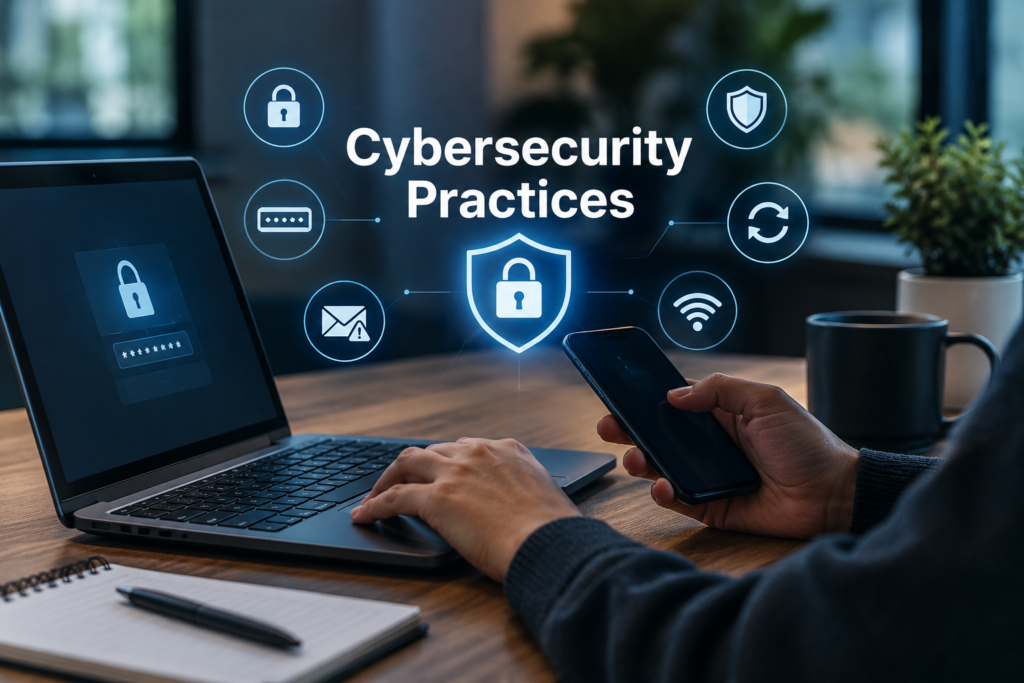
Cybersecurity Practices for Everyday Internet Users
Cybersecurity practices help everyday internet users protect their personal information, online accounts, and digital devices from common security threats. As more activities move online, from banking and shopping to communication and remote work, digital safety has become an important part of daily life. A single careless click or weak password can expose sensitive information to cybercriminals.
Fortunately, staying safe online does not always require advanced technical knowledge. Simple habits, such as using strong passwords, installing software updates, recognizing suspicious messages, and securing home networks, can reduce many common risks. By understanding how online threats work and following practical safety measures, internet users can build better digital habits and protect their information with greater confidence.
Understanding the Importance of Cybersecurity Practices
Cybersecurity involves protecting computers, smartphones, networks, applications, and digital information from unauthorized access, theft, damage, or disruption. It helps individuals maintain control over their personal data while reducing the chances of online fraud and account compromise.
Everyday users often store valuable information across multiple platforms. Email accounts may contain private conversations, shopping accounts may save payment details, and cloud services may hold personal photographs or important documents. If attackers gain access to one account, they may use it to target other services.
Effective security habits create several layers of protection. Although no single measure can eliminate every threat, combining different precautions makes it more difficult for attackers to succeed.
Creating Strong and Unique Passwords
Passwords remain a common way to protect online accounts. However, short, predictable, or reused passwords can make accounts easier to compromise.
A strong password should be sufficiently long and difficult to guess. A memorable passphrase made from several unrelated words can provide a practical option. Passwords should also be different for every important account, especially email, banking, shopping, and social media services.
Reusing the same password creates unnecessary risk. When attackers obtain login details from one compromised service, they may try those credentials on other websites. This technique, known as credential stuffing, can expose several accounts at once.
A reputable password manager can help users generate, store, and organize unique passwords without memorizing each one. Its master password should be strong, and the manager itself should have additional security protections where available.
Enabling Multi-Factor Authentication
Multi-factor authentication adds another verification step to the login process. Depending on the service, this may involve an authenticator application, a security key, a passkey, or a verification code.
This additional layer can prevent unauthorized access even when a password has been stolen. For example, an attacker who discovers a password may still be unable to enter an account without the required second factor.
Authenticator applications and security keys are generally preferable to SMS codes when stronger options are available. Text messages can be exposed through SIM-swapping attacks or weaknesses in mobile networks.
Users should enable this feature on important accounts, starting with email, financial services, cloud storage, and social platforms. Recovery codes should be stored securely so that access remains possible if a device is lost.
Recognizing Phishing Emails and Suspicious Messages
Phishing is a common online attack in which criminals impersonate trusted organizations or individuals to steal information. These messages may appear to come from banks, delivery companies, employers, social networks, or well-known technology providers.
A suspicious message might claim that an account will be closed unless the recipient verifies personal details immediately. Other messages may offer unexpected prizes, request urgent payments, or contain links to fake login pages.
Several warning signs deserve attention:
- Unexpected requests for passwords, payment information, or verification codes.
- Unusual sender addresses or domains that imitate legitimate businesses.
- Messages that create panic or demand immediate action.
- Unexpected attachments or links that lead to unfamiliar websites.
- Requests to bypass normal payment or verification procedures.
A convincing message does not always contain obvious spelling mistakes. Attackers can copy company logos, imitate writing styles, and use personal information to make their messages appear genuine.
When a message raises concerns, the safest approach is to avoid clicking its links. The recipient can instead open the official application or type the organization’s known website address into a browser. Suspicious messages can also be reported through the relevant email provider or organization.
Keeping Devices and Software Updated
Software updates often include security fixes that address weaknesses discovered by developers or researchers. Devices running outdated operating systems, browsers, applications, or firmware may remain vulnerable to known attacks.
Automatic updates can make this process easier by installing important fixes without requiring constant manual checks. Users should also update their home routers, connected devices, and security applications when manufacturers provide relevant updates.
Older devices that no longer receive security support need special attention. If an unsupported device cannot be replaced immediately, reducing its internet exposure and avoiding sensitive activities on it may lower some risks. However, these steps do not provide the same protection as supported software.
Updates should be obtained through official operating system settings, trusted application stores, or the manufacturer’s website. Unexpected pop-ups that demand software installation should be treated cautiously, particularly when they appear while browsing unfamiliar websites.
Protecting Personal Information on Social Media
Social media platforms allow people to share updates, photographs, opinions, and personal experiences. However, oversharing can reveal information that criminals may use for scams, identity theft, or account recovery attempts.
Public posts may disclose birthdays, travel plans, workplace details, family relationships, or other personal information. Some of these details can help attackers create convincing messages or guess answers to security questions.
Users can reduce exposure by reviewing privacy settings, limiting who can view personal posts, and avoiding the public sharing of sensitive details. Location sharing should also be considered carefully, particularly when it reveals that a home is empty.
Friend requests from unfamiliar accounts deserve caution, even when the profiles appear authentic. Criminals sometimes create fake accounts using copied photographs and publicly available information.
A private profile does not guarantee complete privacy. Information shared with another person can still be copied, photographed, or redistributed, so careful judgment remains important.
Securing Home Wi-Fi Networks
A home Wi-Fi network connects smartphones, laptops, televisions, smart speakers, cameras, and other devices to the internet. If the network is poorly secured, unauthorized users may gain access to the connection or attempt to reach connected equipment.
The router should use a strong administrator password that differs from the Wi-Fi password. Its security settings should also use a modern encryption standard, such as WPA3 where supported, or WPA2-AES when WPA3 is unavailable.
Changing the router’s default administrator credentials is particularly important because default details may be publicly known. Router firmware should remain updated, and remote administration should be disabled unless it is genuinely needed and properly secured.
A separate guest network can provide visitors with internet access without placing them on the same network as personal computers or storage devices. Some routers also support separate networks for smart home equipment, which can help limit the impact of a compromised device.

Using Public Wi-Fi More Carefully
Public Wi-Fi is available in hotels, airports, cafés, libraries, and other shared spaces. It can be convenient, but users should avoid assuming that every available network is legitimate or properly secured.
Attackers may create networks with names similar to those of nearby businesses. Connecting to the wrong network can expose users to deceptive websites or other security risks.
When using public internet access, users should confirm the network name with the venue and avoid sensitive activities on untrusted connections when possible. A reputable virtual private network, or VPN, can encrypt traffic between the device and the VPN provider, although it does not protect against every online threat.
HTTPS websites encrypt information sent between the browser and the website, but HTTPS alone does not prove that a website is trustworthy. A fraudulent website can also use encryption.
For financial transactions or other sensitive tasks, a trusted mobile data connection may be a better choice than an unfamiliar public network.
Installing Reliable Security Software
Security software can help detect malicious files, suspicious activity, and other threats. Depending on the product, it may also offer web protection, ransomware detection, application controls, and alerts about unsafe downloads.
Many operating systems already include built-in security features. Keeping these protections enabled and updated can provide a useful starting point for everyday users.
Additional security software should come from a reputable provider and be downloaded through official channels. Installing several applications that perform the same real-time protection functions can create conflicts or reduce performance.
Users should also be cautious of fake security warnings that claim a device is infected and demand immediate payment. Such alerts may attempt to frighten people into installing unwanted software or sharing financial information.
Security tools work best alongside careful online behavior. They cannot reliably prevent every scam, especially when a person voluntarily shares a password or approves a fraudulent payment.
Downloading Files and Applications Safely
Files and applications can introduce security risks when they come from untrusted sources. Malicious downloads may contain spyware, ransomware, credential-stealing software, or other unwanted programs.
Applications should be obtained from official stores or verified developer websites. Before installing unfamiliar software, users should check the publisher, reviews, requested permissions, and whether the application genuinely needs access to sensitive features.
Unexpected email attachments and files shared through unfamiliar messaging accounts require similar caution. A document that appears ordinary may contain malicious content or direct the recipient to a deceptive website.
Pirated software and unauthorized activation tools can carry additional risks because their contents may have been modified without the user’s knowledge.
Removing applications that are no longer needed can also reduce the number of programs that require updates and security oversight.
Backing Up Important Data Regularly
Backups help protect important files from accidental deletion, device failure, theft, and ransomware attacks. They provide a way to recover information when the original files become unavailable.
A practical backup routine can include an external drive, a trusted cloud storage service, or both. Keeping a backup disconnected from the computer when it is not in use can reduce the risk of malware affecting the original files and their copies simultaneously.
The most important files to protect may include family photographs, work documents, financial records, and personal projects. Users should select a schedule that matches how often these files change.
Backups also need testing. A backup that cannot be restored offers little practical protection, so occasional recovery checks are worthwhile. Cloud accounts should have strong authentication because a compromised account may expose stored copies of important information.
Recognizing Online Shopping and Payment Scams
Online shopping provides convenience, but fraudulent sellers and fake payment pages can put personal and financial information at risk.
Before making a purchase, users should examine the website address, review the seller’s reputation, and check the payment and return policies. Prices that appear unusually low may warrant additional investigation, especially when a seller demands payment through an unusual or irreversible method.
Payment details should only be entered on legitimate, secure checkout pages. Buyers should avoid sending card information, passwords, or verification codes through unsolicited messages.
Bank and payment account notifications can help users identify unfamiliar transactions quickly. If a suspicious payment appears, contacting the financial provider through its official application or published contact details is an important next step.
Keeping receipts and monitoring account statements can make unauthorized activity easier to identify and report.
Managing App Permissions and Browser Privacy
Applications sometimes request access to a camera, microphone, contacts, location, photographs, or files. Some permissions are necessary for an application’s main function, while others may be unnecessary.
Users should review permissions periodically and revoke access that no longer serves a clear purpose. Location access can often be limited to the time an application is in use, and some devices provide indicators when a camera or microphone is active.
Browsers also collect information through cookies, trackers, and saved website data. Reviewing privacy settings, blocking unwanted tracking where supported, and clearing unnecessary browsing data can help limit exposure.
Private browsing modes mainly reduce certain records saved locally on the device. They do not make a person invisible to websites, internet service providers, employers, or network administrators.
For better privacy, users should understand what each setting actually changes rather than relying on a single feature to provide complete protection.
Protecting Smart Home Devices
Smart televisions, security cameras, connected doorbells, speakers, and other internet-connected devices can introduce additional security risks. Some devices receive infrequent updates or use weak default credentials.
Before connecting a device, users should change default passwords, install available firmware updates, and disable features that are not needed. Devices should be purchased from manufacturers that provide clear security information and ongoing support.
A separate network for smart devices can help limit their access to computers and other sensitive equipment. Users should also review cloud account settings for cameras and connected home services, particularly when recordings or private conversations may be stored online.
When a device reaches the end of its security support period, replacing it may be safer than continuing to use it for sensitive purposes.
Understanding Ransomware and Other Malware
Malware is software designed to perform harmful or unauthorized actions. It can steal information, monitor activity, damage files, or give attackers control over a device.
Ransomware is a type of malware that may encrypt files and demand payment for their recovery. It can disrupt personal activities and cause serious problems for businesses that depend on their digital records.
Careful downloading, timely updates, security software, and reliable backups can reduce the impact of these threats. Users should avoid enabling macros or other active content in unexpected documents unless the source and purpose have been verified.
If a device shows signs of infection, such as unexplained encryption, unusual security alerts, or suspicious account activity, the user should stop entering sensitive information on it. Disconnecting an affected device from networks may help limit further spread, particularly in a home or workplace environment.
Important accounts should be secured from a separate, trusted device when necessary. For serious incidents, professional technical support can help identify the problem and guide recovery.
Taking Action After a Security Incident
Even careful internet users can experience a security incident. A quick, organized response may reduce further damage.
If an account is compromised, the affected user should access the service through its official website or application, change the password, enable multi-factor authentication, and review active sessions. Any other accounts using the same password should receive unique replacements.
If banking details may have been exposed, the financial provider should be contacted promptly using verified contact information. The provider can explain whether a card needs to be blocked, transactions disputed, or additional monitoring arranged.
For a suspected malware infection, the device may need to be isolated and checked with trusted security tools or professional assistance. Important evidence, such as suspicious messages and transaction records, should be preserved when it is safe to do so.
Users should also review account recovery details and check whether an attacker has changed forwarding rules, recovery email addresses, or connected applications.
Building a Simple Daily Cybersecurity Routine
Online safety becomes easier to maintain when it forms part of an ordinary routine. Instead of trying to remember dozens of separate rules, users can focus on a few consistent actions.
A practical routine includes checking for suspicious messages before opening links, using unique passwords, approving only legitimate login requests, and installing updates when they become available. Important accounts should have multi-factor authentication enabled, while essential files should be backed up regularly.
Monthly reviews can cover account activity, connected devices, application permissions, and router settings. These checks help identify unfamiliar changes before they become larger problems.
The routine should reflect the user’s needs. Someone who regularly handles financial transactions or sensitive work information may require stricter controls than someone using the internet mainly for reading and entertainment.
Consistency matters more than complexity. A manageable set of habits is more likely to be maintained than a complicated process that is quickly abandoned.
Conclusion
Cybersecurity practices are an essential part of using the internet safely. Strong passwords, multi-factor authentication, software updates, careful browsing, secure networks, and reliable backups all contribute to better digital protection.
However, security is not achieved through technology alone. Recognizing suspicious requests, limiting the information shared online, and responding quickly to unusual activity are equally valuable habits.
By combining these measures, everyday internet users can reduce common risks and protect their accounts, devices, and personal information more effectively. A thoughtful approach to digital safety helps make online banking, communication, shopping, and other everyday activities more secure.
FAQs
What are cybersecurity practices?
Cybersecurity practices are habits and protective measures used to safeguard devices, accounts, networks, and personal information against unauthorized access, scams, and digital attacks.
Which cybersecurity habit is most important?
Using unique passwords and enabling multi-factor authentication on important accounts are strong starting points. Regular software updates and caution around suspicious messages are also essential.
How can internet users recognize phishing?
Warning signs include unexpected requests for sensitive information, unusual sender addresses, urgent demands, and suspicious links. Users should verify such requests through official channels.
Is public Wi-Fi safe to use?
Public Wi-Fi can be useful, but unfamiliar networks may present risks. Users should verify the network, use HTTPS websites, consider a reputable VPN, and avoid sensitive activities on untrusted connections.
How often should important data be backed up?
The frequency depends on how often the data changes. Important files should be backed up regularly, and users should periodically test whether the backups can be restored.
Read Also: Robthecoins Business Tips for Building a Successful Business