
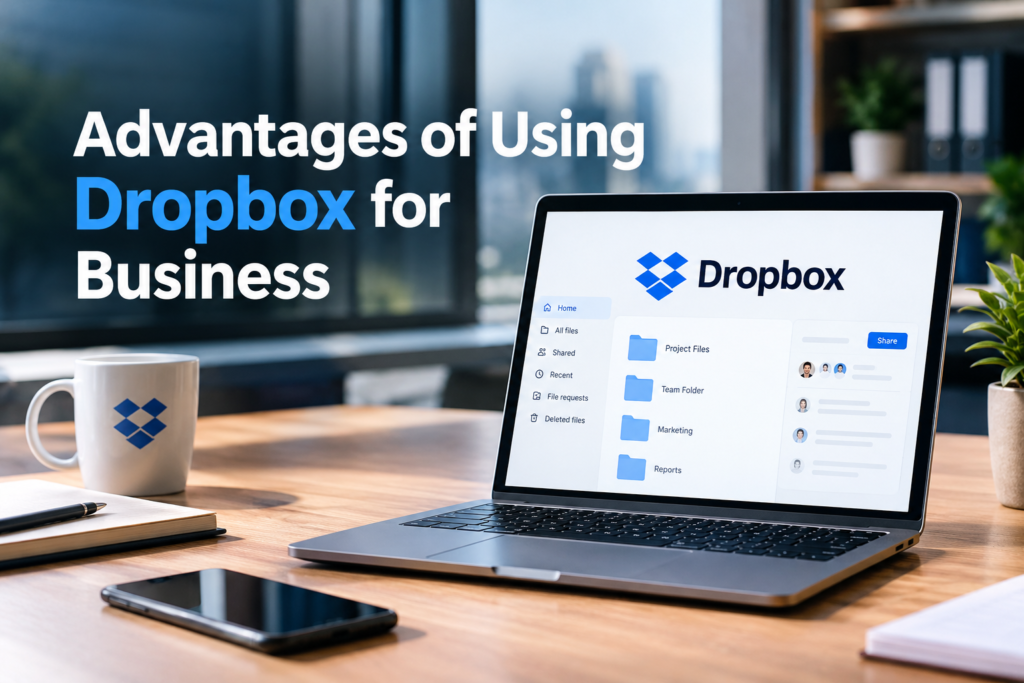
Advantages of Using Dropbox for Business
The advantages of using Dropbox for Business include easier file sharing, secure cloud storage, improved teamwork, and convenient access to important documents. Businesses of all sizes need a reliable way to manage digital files, especially when employees work remotely or collaborate across different locations. Keeping everything on individual computers can make documents harder to find, share, and update.
Dropbox offers a cloud-based workspace where teams can store files, organize folders, and collaborate on projects. It also provides business-focused tools for managing access, protecting information, and recovering certain deleted or older files. These features can help companies reduce everyday workflow problems and keep their teams organized.
Easy File Sharing Across Teams
One of the main benefits of Dropbox for business is its straightforward file-sharing process. Employees can share files and folders with colleagues, clients, contractors, and other authorized users without relying on large email attachments.
Shared links make it easier to distribute presentations, reports, contracts, images, and project documents. Instead of sending multiple copies of the same file, a team can provide access to a shared version.
Businesses can also manage sharing permissions to help ensure that sensitive information reaches the right people. Depending on the plan and settings, administrators can apply additional controls to shared links.
Secure Cloud Storage for Business Files
Business documents often contain confidential information, customer records, financial reports, and internal project details. Storing these files in a cloud-based workspace can make them easier to organize and manage.
Dropbox provides security measures such as encryption, account protection features, and administrative controls. Available protections vary by subscription plan and configuration.
Centralized storage also helps businesses establish clearer file management practices. Rather than leaving important documents scattered across employee devices, teams can keep shared work in designated folders with appropriate access permissions.
However, cloud storage does not eliminate every security risk. Companies still need strong passwords, multifactor authentication where available, regular access reviews, and clear policies for handling sensitive data.
Better Collaboration Among Employees
Effective collaboration depends on employees being able to access the information they need. Dropbox helps teams work together by providing shared folders, file previews, comments, and integrations with other workplace applications.
For example, a marketing team can keep campaign images, content drafts, research documents, and approved designs in a shared project folder. Team members can then locate relevant materials without repeatedly requesting files from colleagues.
This approach can reduce unnecessary email conversations and confusion about which version of a document is current. It can also help new employees understand existing projects more quickly.
Dropbox’s collaboration features are particularly useful for teams that need to coordinate work across departments or locations.

Access Files From Different Devices
Employees do not always work from the same computer or office. Sales representatives may need customer documents while travelling, remote employees may work from home, and managers may need to review files between meetings.
Dropbox supports access through its web interface and applications for supported desktop and mobile devices. Files can also sync across connected devices, subject to account settings, storage availability, and internet access.
This flexibility allows employees to continue working without depending on a single office computer. Some files can also be made available offline through supported applications, although offline access needs to be configured in advance.
For businesses with distributed teams, this convenience can make everyday work more flexible and efficient.
Improved File Organization
Poor file organization wastes time. Employees may struggle to locate contracts, search through old email attachments, or accidentally use outdated documents.
Dropbox helps businesses create a more consistent structure through folders, subfolders, shared team spaces, and searchable file collections. Companies can organize content by department, client, project, or document type.
For instance, an agency could create separate folders for each client and maintain subfolders for contracts, reports, creative assets, and completed work. Employees with the appropriate permissions could then find the materials relevant to their responsibilities.
A consistent naming system and regular folder reviews can make this structure even more effective. The platform provides the tools, while the business establishes the rules that keep files organized.
File Recovery and Version History
Accidental deletion and unwanted edits can disrupt a project. An employee might overwrite an important document or remove a file that another department still needs.
Eligible Dropbox plans include file recovery and version history features that can help users restore deleted files or return supported files to earlier versions. The available recovery period depends on the subscription plan.
These features provide an additional layer of protection against common mistakes. For example, a team member who changes a report incorrectly may be able to recover an earlier version instead of rebuilding the document from scratch.
Businesses should still maintain suitable backups for critical information. Recovery features are useful safeguards, but they should not replace a well-planned data backup and disaster recovery strategy.
Better Control Over Employee Access
Not every employee needs access to every business document. A company may want its finance department to handle financial records while limiting access to confidential human resources files.
Dropbox team plans provide administrative tools that can help businesses manage members, organize team content, and control sharing permissions. Available options vary according to the plan and administrator role.
These controls support a more structured approach to information management. When an employee changes departments or leaves the company, administrators can review access and make the necessary changes.
Regular permission reviews are particularly important for organizations that work with freelancers, external agencies, and temporary contractors.
Support for Remote and Hybrid Work
Remote and hybrid working arrangements require employees to share information without being in the same physical location. Dropbox can support these arrangements by keeping approved files accessible through a shared cloud workspace.
Team members can exchange documents, review project materials, and coordinate tasks from different locations. This can be useful for businesses with employees spread across cities or countries.
For example, a design team could upload draft graphics, a project manager could review the materials, and a client-facing employee could share approved files with the customer.
Dropbox does not replace project management, communication, or video conferencing software. However, it can complement these tools by giving teams a common place to manage the files their projects depend on.
Integration With Other Business Applications
Businesses often use several applications to manage communication, documents, customer relationships, and daily operations. Constantly switching between disconnected tools can interrupt work and create unnecessary duplication.
Dropbox supports integrations with selected third-party applications, allowing businesses to connect file storage and sharing with parts of their existing workflow.
Depending on the applications and subscription plan, employees may be able to open, edit, share, or manage files through familiar workplace tools. These connections can help teams maintain their preferred working processes instead of changing every system at once.
Before adopting an integration, a business should check compatibility, available permissions, subscription requirements, and the security practices of the third-party provider.
Easier Management of Large Files
Some businesses regularly handle large files that are difficult to distribute through ordinary email attachments. Video production companies, design agencies, architects, and marketing teams may need to share high-resolution images, presentations, videos, and other substantial project assets.
Dropbox offers file-sharing and transfer features designed to help users distribute content. Transfer size limits and related options depend on the subscription plan.
For example, a video editor can use a supported transfer feature to deliver completed footage to a client without relying on a series of separate email attachments.
This can simplify delivery and reduce the need for workarounds. Businesses should compare transfer limits and collaboration features with the typical file sizes used in their industry before choosing a plan.
Potential Time and Cost Savings
Managing files manually can create hidden costs. Employees may spend time searching for documents, requesting duplicate copies, correcting version mistakes, or moving files between disconnected systems.
Dropbox can help reduce some of these inefficiencies by centralizing shared content and making collaboration easier. Its recovery features and integrations may also reduce the effort required to manage common file-related problems.
However, savings are not automatic. A business needs to consider subscription fees, storage requirements, staff training, integration costs, and the time required to move existing files into the new system.
A small business with straightforward storage needs may require fewer features than a larger organization with advanced security and administrative requirements. Comparing the total cost with the expected benefits helps determine whether the investment makes sense.

Useful Tools for Business Document Workflows
File storage is only one part of managing business documents. Teams may also need to review PDFs, collect signatures, and send final versions to customers or partners.
Depending on the selected Dropbox plan and available tools, users may have access to PDF editing, electronic signature workflows, and other document-related features.
These capabilities can simplify routine tasks such as preparing a proposal, sending an agreement for signature, or organizing a completed contract alongside related project files.
The exact tools and usage limits should be checked before purchasing a subscription. Businesses with specialized legal or regulatory requirements should also confirm that their document processes meet the relevant compliance obligations.
Are There Any Disadvantages to Using Dropbox for Business?
Although Dropbox offers several useful benefits, it may not be the right choice for every organization.
First, paid subscriptions add a recurring expense, particularly for teams that need advanced administration or security features. Businesses should compare the available plans with their actual storage and collaboration requirements.
Second, accessing and syncing cloud files generally depends on a working internet connection. Offline access can help with selected files, but it does not remove every connectivity limitation.
Third, employees need clear procedures for file organization, access permissions, and information security. Without these practices, a shared workspace can become cluttered or expose documents to unintended recipients.
Finally, some companies may already use another cloud platform that meets their needs. In those cases, the benefits of switching to Dropbox should be weighed against migration effort, employee training, and compatibility with existing applications.
Who Should Use Dropbox for Business?
Dropbox can be a practical option for small businesses, marketing agencies, creative teams, consultants, remote companies, and organizations that regularly exchange digital files.
It may be especially useful when employees need shared access to project documents, clients require large file deliveries, or managers want more centralized control over business content.
Larger organizations with strict security, governance, or compliance requirements should examine the available enterprise features carefully. The right solution depends on the company’s workflow, budget, data sensitivity, and technical requirements.
A short trial or limited pilot project can help a business evaluate usability, synchronization, sharing controls, and integration performance before committing to a wider rollout.
Conclusion
The advantages of using Dropbox for business extend beyond basic online file storage. The platform can make file sharing easier, improve team collaboration, support remote work, simplify document organization, and provide useful recovery and administrative features.
These benefits can help businesses spend less time dealing with scattered files and more time completing their work. At the same time, successful implementation depends on choosing a suitable subscription, setting clear access rules, and maintaining appropriate security and backup practices.
For businesses that rely on frequent file sharing and collaborative workflows, Dropbox is worth considering. A careful comparison of its features, costs, and limitations can help determine whether it fits the organization’s long-term needs.
FAQs
1. What are the main advantages of using Dropbox for business?
The main advantages include cloud storage, easy file sharing, team collaboration, file recovery, and centralized access management.
2. Is Dropbox good for small businesses?
Yes. Dropbox can help small businesses organize documents, share files with clients, and coordinate work across different locations.
3. Is Dropbox secure for business files?
Dropbox provides encryption and security controls, but businesses should also use strong passwords, suitable access permissions, and appropriate backup practices.
4. Can employees access Dropbox files remotely?
Yes. Employees can access files through supported web, desktop, and mobile applications, depending on their account settings and connectivity.
5. Does Dropbox for business offer file recovery?
Eligible plans provide file recovery and version history features. The available recovery period depends on the subscription plan.
Read Also: Machine Learning vs Traditional Programming